
Texts from Receipt Hunter
Receipt Hunter is expense software for small businesses. Its AI assistant, Penny, collects receipts and invoices for business purchases. If you work with a business that uses Receipt Hunter, as a sub, vendor, client or courier, Penny may ask you for a receipt or an invoice.
Last Updated: October 30, 2026
How You Sign Up
We never text a number a business gives us. The business owner may text you from their own phone, or we may email you, with a link to the receipt form and our number. If you text our number, we answer your messages and ask whether we may text you; nothing else comes by text until you say YES.
You sign up yourself, in one of two ways:
1. You reply YES when we ask "Can Receipt Hunter text you about receipts, invoices and purchase details [Business] needs from you?" after you text us.
2. You tick the box on our receipt form: "Text me about receipts, invoices and purchase details [Business] needs from me." The box is never ticked for you, and you can send the form without it.
What We Text
What we text: a request for one receipt, one invoice or one detail about a purchase you took part in, at most 2 reminders, answers to your questions about that purchase, and a thank-you. Every text starts with "Receipt Hunter:". Your sign-up covers one business.
Rates, Help and Opting Out
Message frequency varies. Message and data rates may apply. Reply STOP to opt out, START to sign up again, HELP for help. Support: support@receipt-hunter.com. Carriers are not liable for any delayed or undelivered messages.
Your Number and Your Privacy
We do not sell or share your mobile number or SMS opt-in data with third parties for marketing.
Terms: https://www.receipt-hunter.com/terms (section 26). Privacy Policy: https://www.receipt-hunter.com/privacy.
What Signing Up Looks Like
Examples with a sample business, Lakeview Builders.
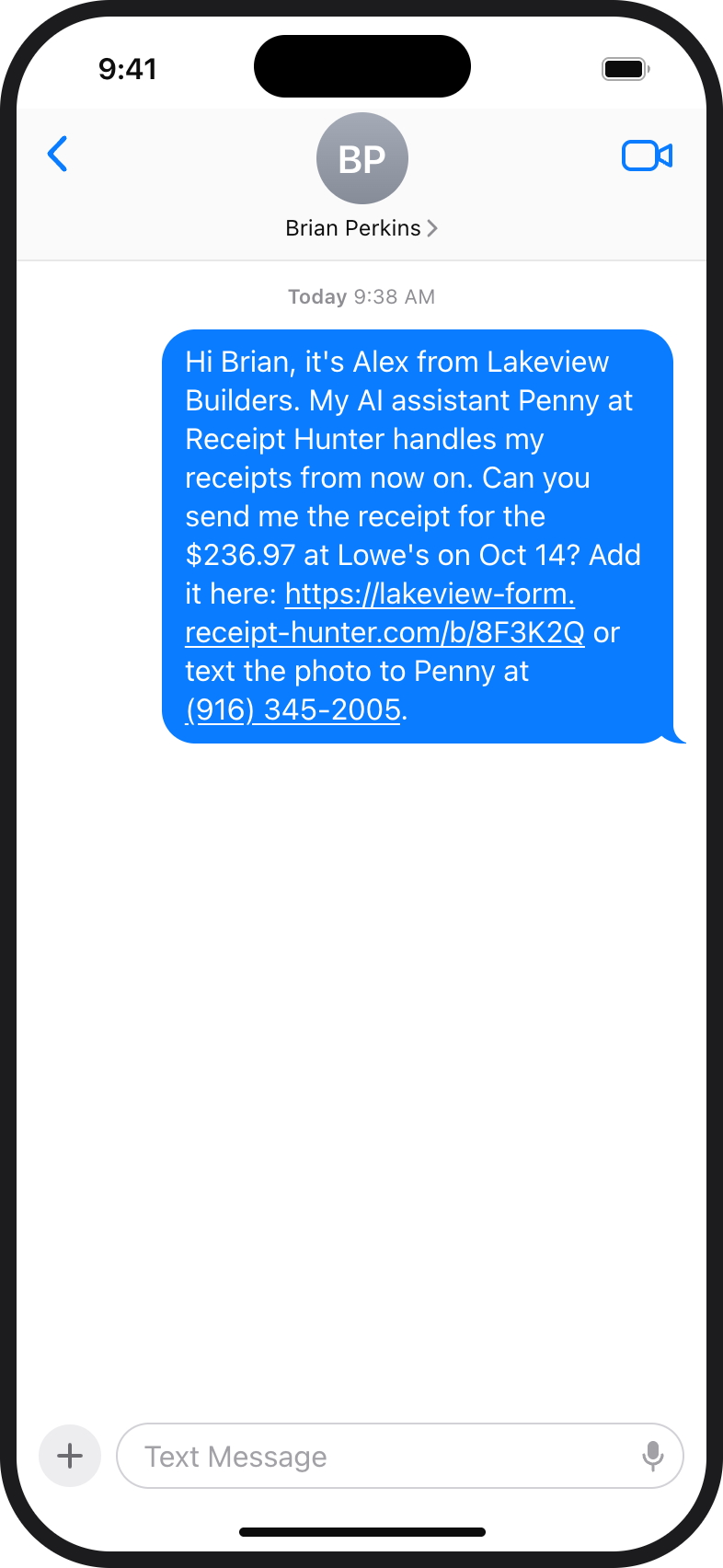
1. The owner's own text, with the link and our number. 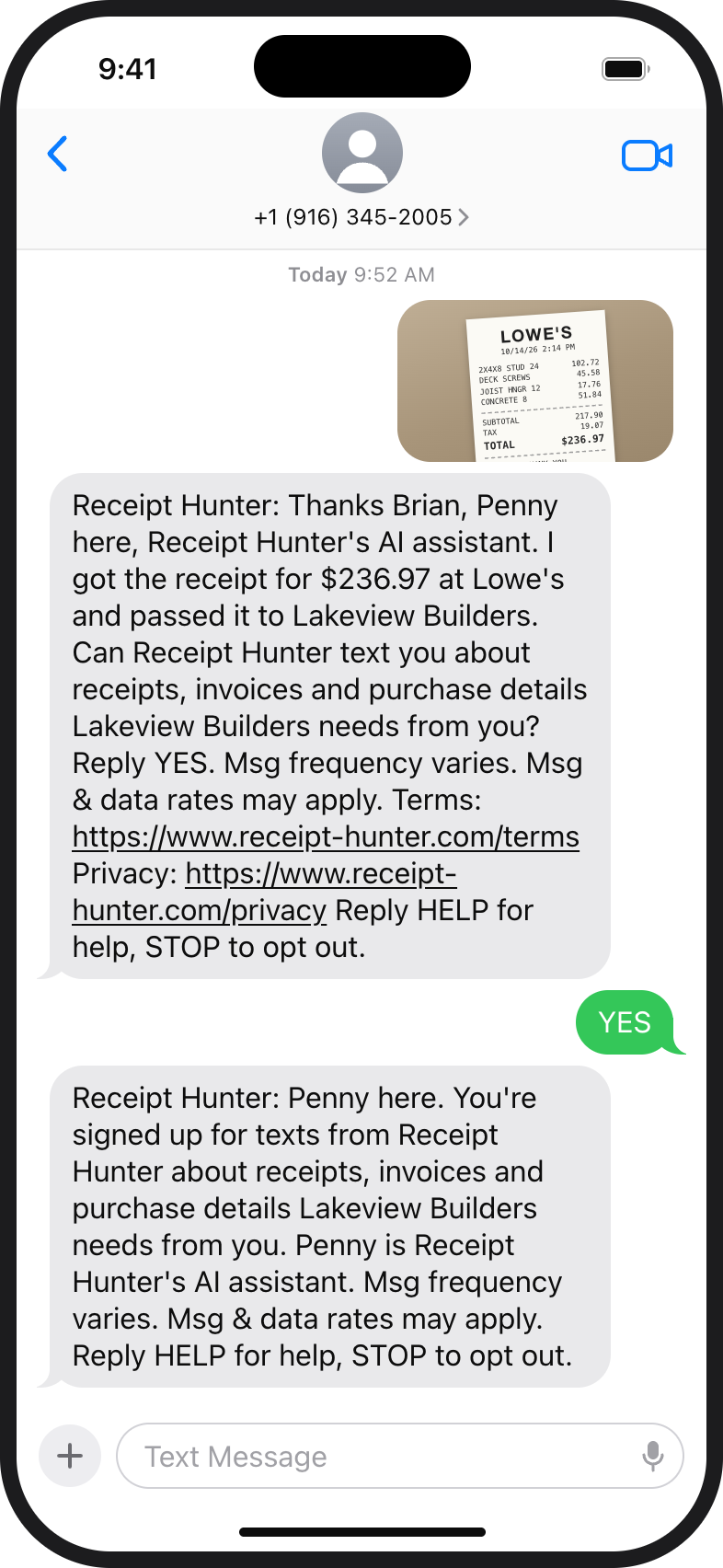
2. Your text to us, our reply with the YES question, your YES, and the confirmation. 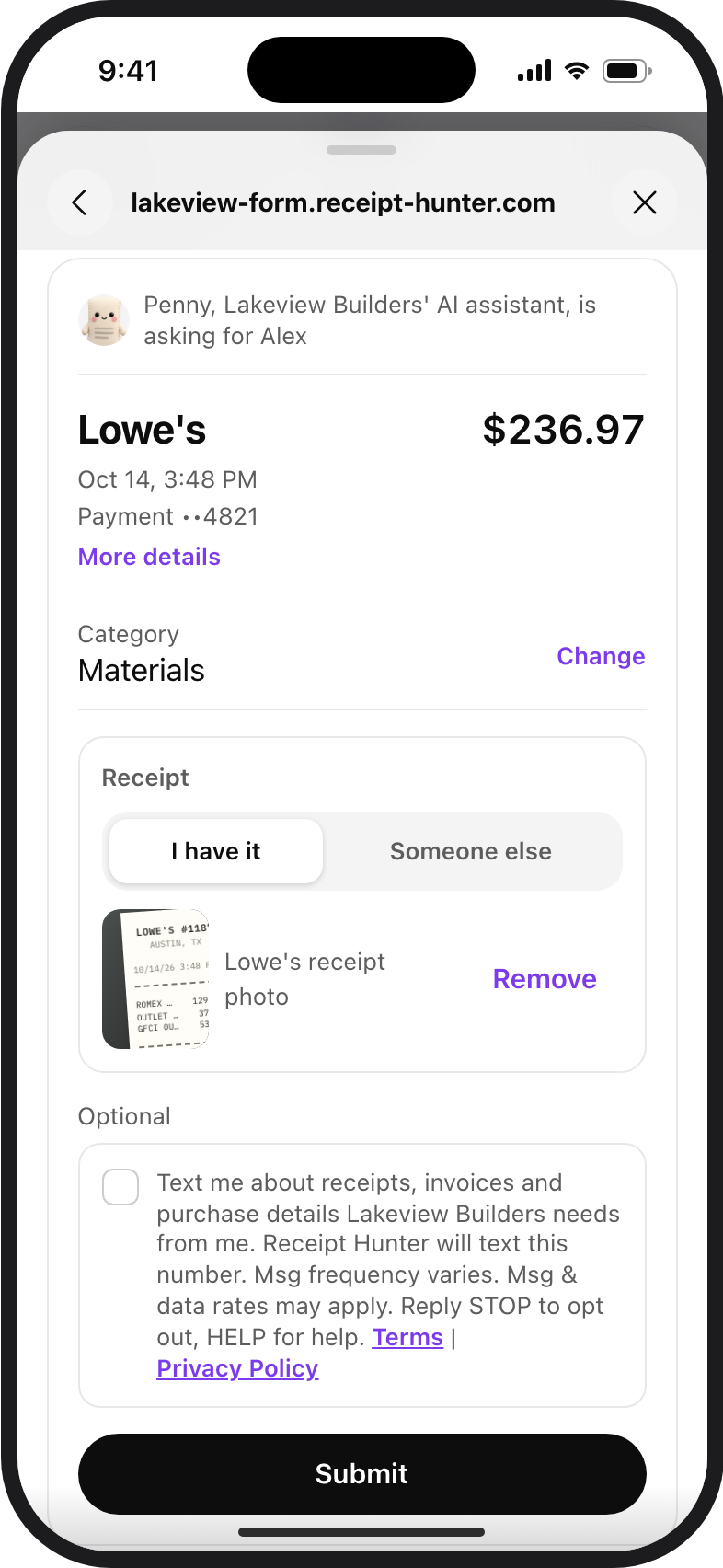
3. The receipt form, with the box unticked and links to our Terms and Privacy Policy. 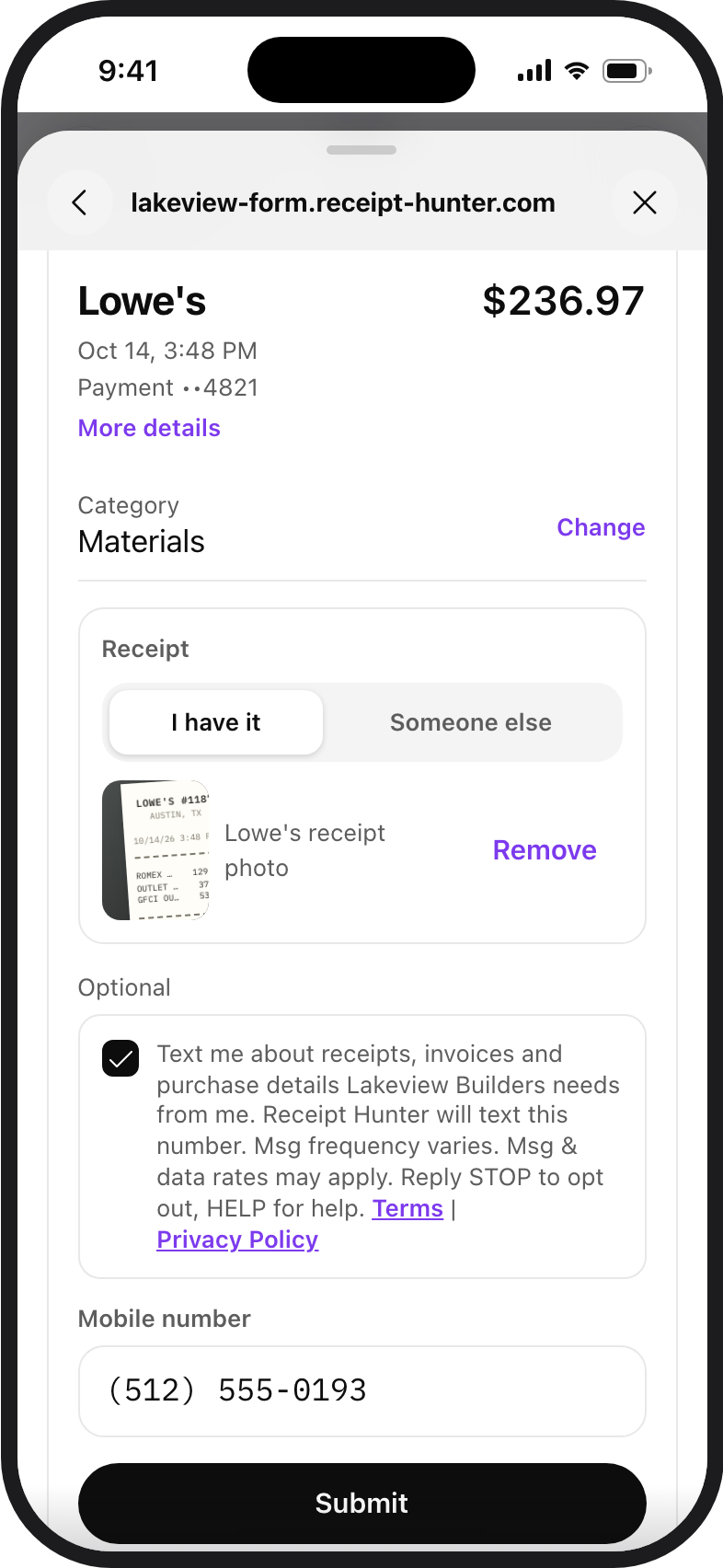
4. The same form with the box ticked: a field for the mobile number we may text. 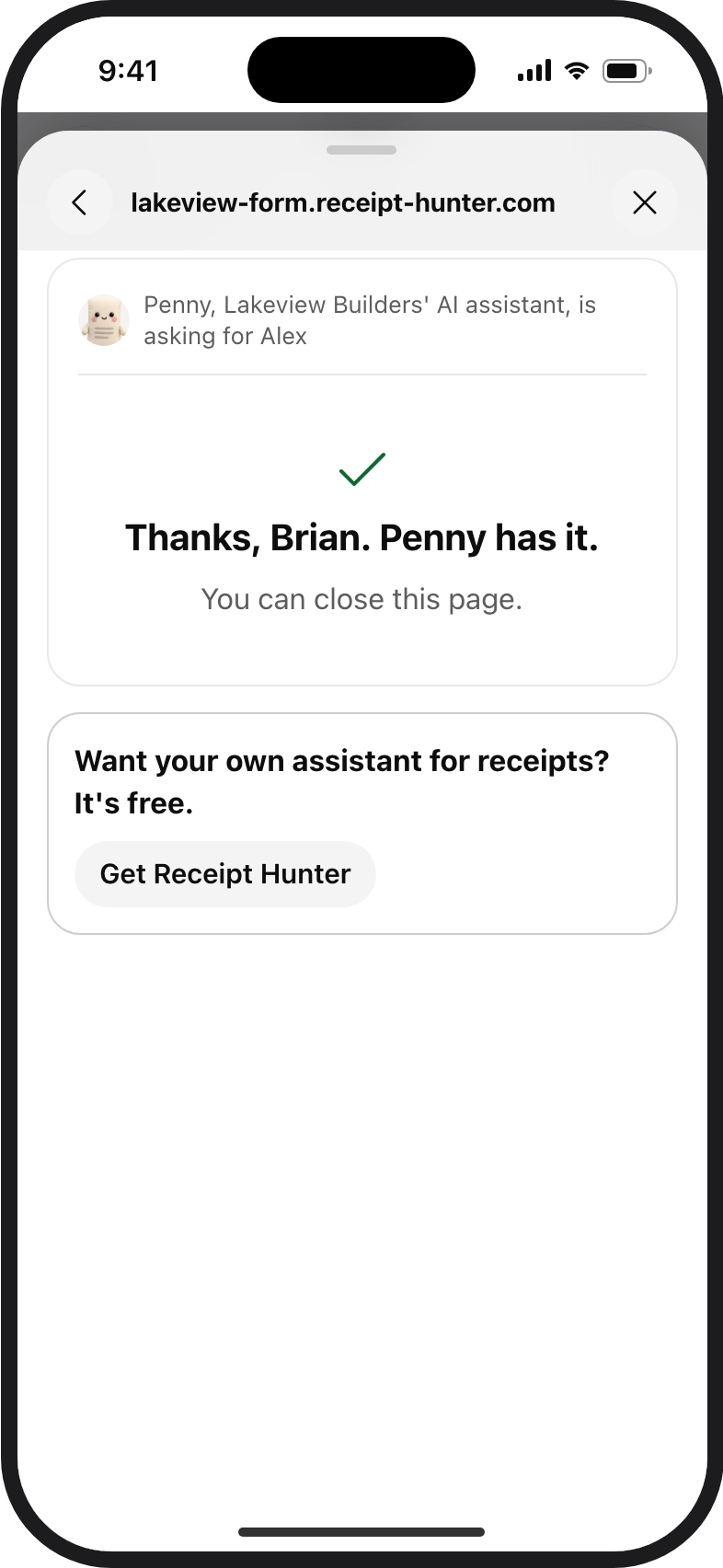
5. The page after you send the form.